
Pinokio 7
Integrating AI agents to make it even easier to use apps.

Today I’m releasing Pinokio 7. The theme for this release is “AI Agents”. Here are the 3 main notable features:
Agent Interpreter
App Assistant
Agent Launcher
More details on this thread, make sure to check the full thread:


1. Agent Interpreter
All apps in Pinokio are instantly agent-ready without you doing anything. Pinokio does all the heavy lifting of automatically discovering, launching, managing, and using all installed apps, so you don’t have to.
Any AI agent—Claude, Openclaw, Codex, Gemini, Cursor, and pretty much all AI agents on the market that support SKILL.md—can automatically launch and control any app in Pinokio. There is no separate setup or config. It “just works”.
Internally Pinokio has implemented a powerful AI agent native architecture and agent skills (“pinokio” skill for using apps and “gepeto” skill for building apps) that make things just work magically. All you need to do is type into your favorite AI agent and they will auto discover pinokio, communicate with it, and run tasks for you.
CLI Agents
For example, if you’re using AI agents like Claude code or Codex CLI, you can simply ask it to “speak [text]”, and the agent will automatically reach out to Pinokio to search for any available TTS app to use, select one based on its own ranking, launch if not already running, figure out the API, and make a request, and when the job is finished, it will message you back:
Desktop Agents
You can even use desktop apps like Codex desktop (from OpenAI), or Manus desktop, simply ask it to “generate a video”, and the agent will automatically reach out to Pinokio to search for any available video generation app to use, find that WanGP is available, launch if not already running, figure out the API, make a request, and message you back with the video once finished:
Openclaw
As mentioned, Pinokio works with ALL AI agents that support SKILL.md. And recently we’ve seen a surge of autonomous agent systems like Openclaw or Hermes Agent, which let you connect third-party messaging apps like Whatsapp, Discord, Telegram, etc. to talk to and control the AI agent running on your home PC.
Here’s an example of me using Discord on my iPhone from a coffee shop (outside) to message my Windows PC running at home, and it launches the WanGP server (because it was not running already), generates a video, and sends me back the generated video:
There are a couple of cool things about this specific usage pattern:
Push Notification: I don’t have to constantly check some app to see if the generation has finished. I get a push notification on my Discord iphone app when finished. I didn’t realize how convenient this is until I actually experienced it firsthand, so I recommend everyone try it out.
AI Assisted Prompting: Normally when using an app, the app expects a strict form of input. For example when generating a video, you must enter precisely what you want to generate. But with an AI agent in between, you can just say things like “Generate a video of something outrageous” (See above video), and it will just come up with a prompt, and then submit the prompt to the WanGP app running in Pinokio. This level of freedom is a game-changer, it almost feels like I’m using ChatGPT; except the actual generation work is done by my home PC.
2. App Assistant
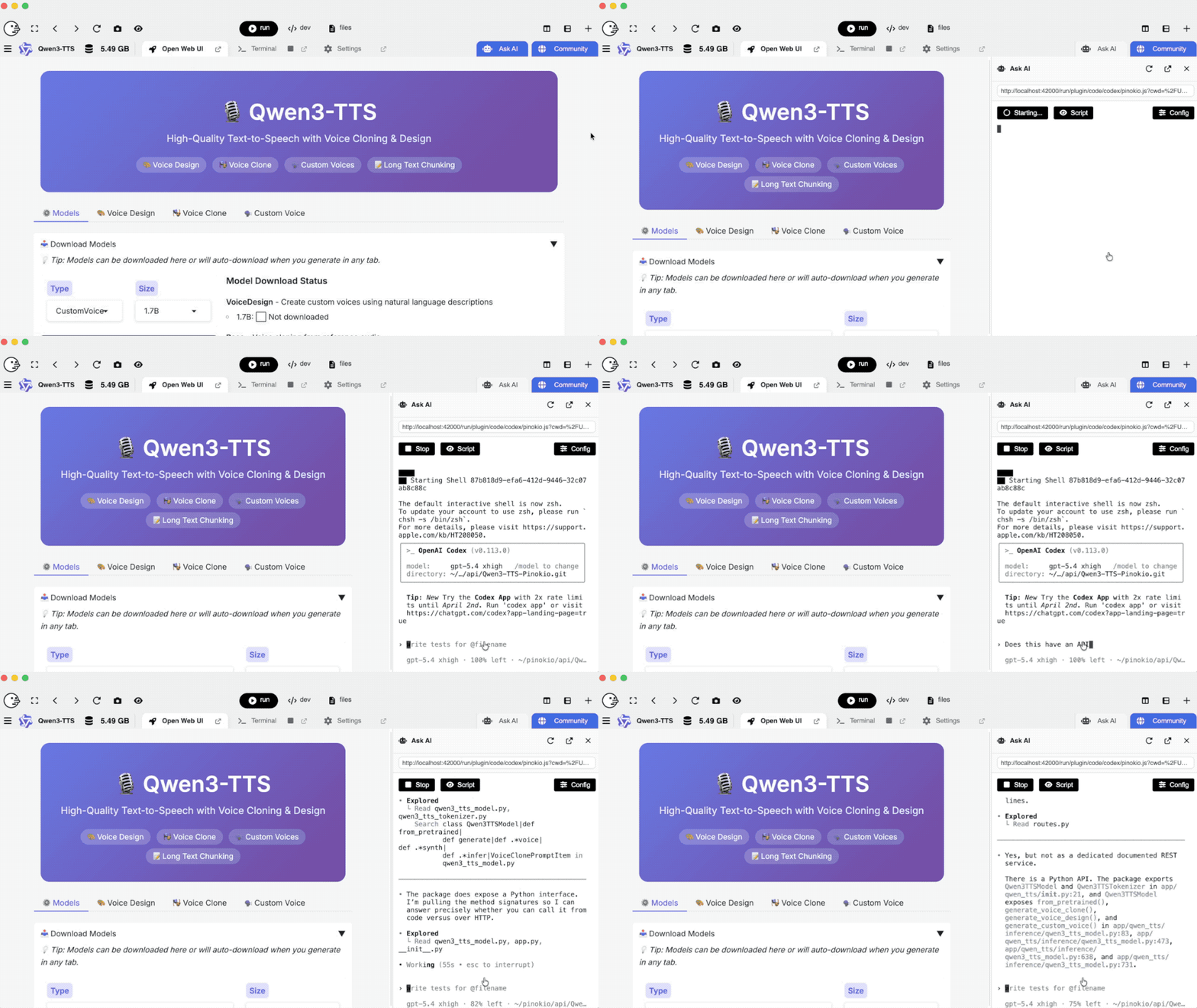
The “Ask AI” feature—which was added in the last release—was supposed to let you easily ask questions, fix bugs on your own, and even customize the app to your own liking, but the problem was it sent you away to a whole different page, moving you away from the app. With 7, Ask AI is a sidebar that slides in and out, instead of sending you to a different page. This means you can ask questions while you’re using the app. Ask questions about the app, debug issues, or tweak settings, all without ever leaving your workflow.
3. Agent Launcher
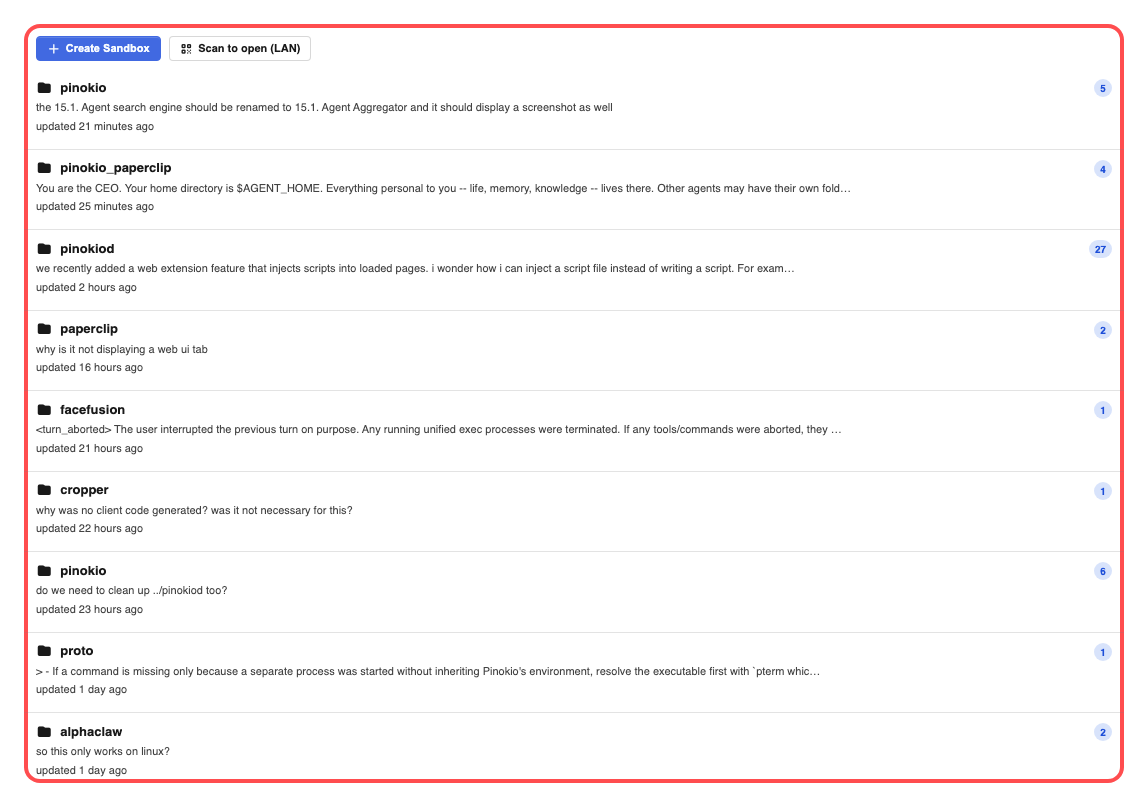
Pinokio 7 now has an “agents” tab. The default page is the “app launcher” page you’re all familiar with. But when you click “Agents”, you will see the following screen, which displays all your past agent sessions indexed by Pinokio:
When you click one of the workspaces, you will see all the past chat sessions you have ever had with agents (Gemini, Codex, Claude for now).
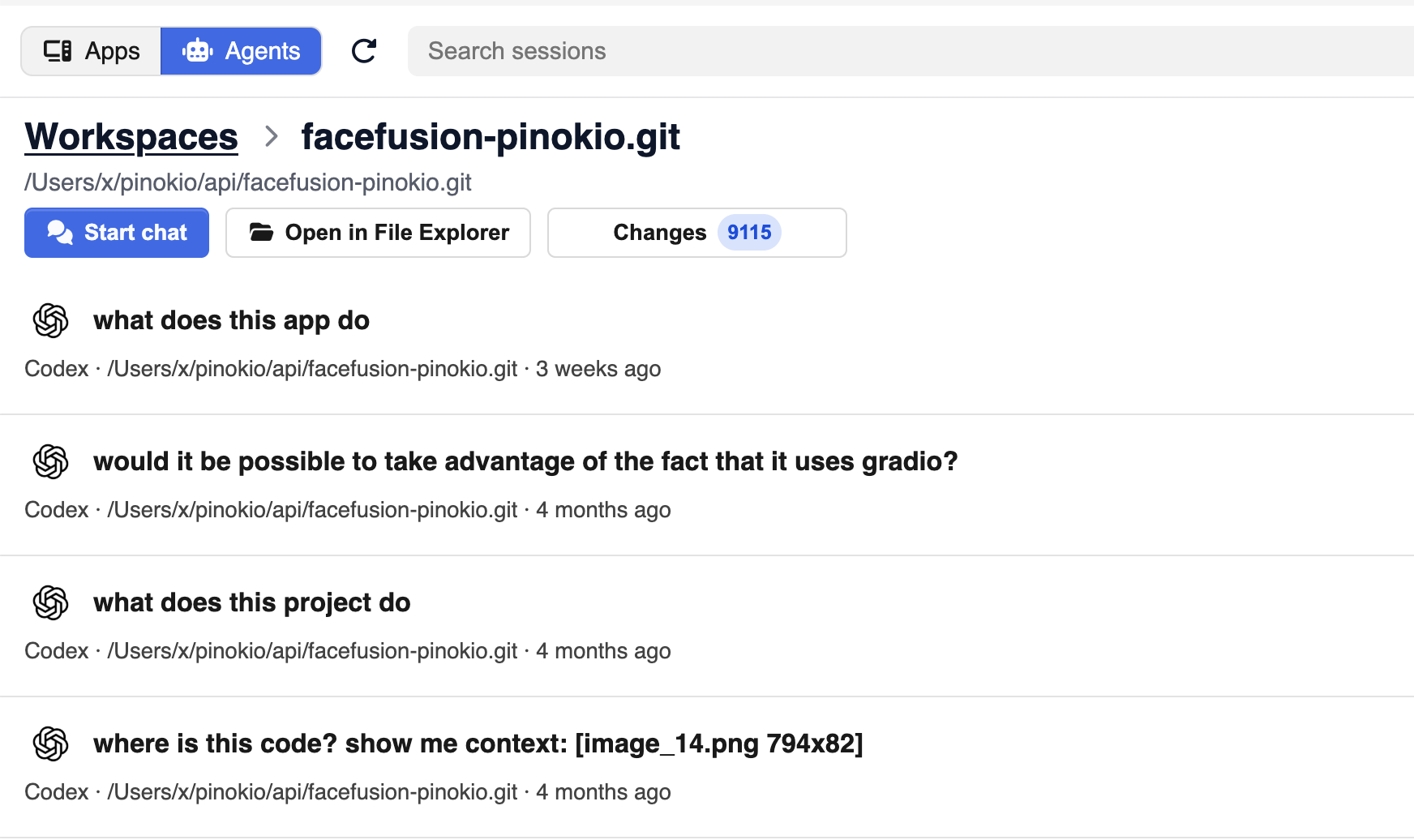
And you can click the sessions to resume the chat from where you last left off instead of starting from scratch.
Stay Tuned!
I’ve only mentioned the AI agent related features here but this version is packed with a lot of powerful new features and bug fixes, including:
Web Extensions: injecting scripts into any app running in pinokio
Built-in browser: for browsing external websites like a regular browser, even supporting logins
Mac/Linux/NVIDIA DGX install issue fixes
Star apps + sort apps in different ways
and more
Check the release notes to learn more: https://github.com/pinokiocomputer/pinokio/releases/tag/v7.0.0
This is the first time I’ve ever posted a long update here, but I plan to use this channel more in the future to let you know about important updates.
So subscribe if you want to stay updated!
Another PINOKIO homerun and clear display of superiority by the amazing @CocktailPeanut